Today you need to class by completing the Multiview review packet that the guest teacher will pass out to you. Once you have finished this packet proceed to your Reverse Engineering Project below.
Now you are ready to start your Reverse Engineering project.
Click HERE to open the document that you will need to make a copy of for yourself so that you can work on the project this week.
Follow the directions highlighted in BLUE to work on the Visual Analysis today and possibly the Functional Analysis today as well.
Click HERE for an example of a reverse engineering project that you can use as a reference to help you complete this project.
Welcome to Class!! Please excuse Mrs. Moore today.
Continue with working on your Reverse Engineering project.
If you were gone yesterday click HERE to open the document that you will need to make a copy of for yourself so that you can work on this project this week and follow directions.
Please start where you left off yesterday. You many not DISSASEMBLE your toy until you have done Parts I & II.
When you are ready to disassemble get a sandwich bag from the guest teacher and write your name on it and get a paper plate. Please disassemble on the plate so that you do not loose parts. When class is over put your parts in your sandwich bag and give your bag, plate, and tools to the guest teacher.
Click HERE for an example of a reverse engineering project that you can use as a reference to help you complete this project.
Once your portfolio, week 9 has been checked you have free time.
1) Meet with Mrs. Moore to review and grade Week 7 in your portfolio
~Mrs. Moore will call you back one at a time to review your portfolio
2) Work on sketching and joining parts in Fusion 360
~ At the beginning of class Mrs. Moore will review how to join parts in Fusion 360 and give your assignment for today. Click HERE for the slide show and to access today's assignment on slides 3 and 4.
Welcome to Class! - Please start in at the Computers
Today we are going to:
1) Finish your work from yesterday with your caliper measurement and creating your part in fusion with dimensions
2) Make a doorstop as we learn more about:
Sketches
Extrusions
Chamfers
Offset
Emboss
Draft
Then you will learn how to customize your drawing template that you will use the rest of the year.
You will be using slides 22 and 23 in the slide show we used today, click HERE for the slide show to get instructions and video for today's assignment.
Once you are done with both tasks take a screenshot of your completed Multiview with dimensions and with your customized drawing template you need to add this to your portfolio for Wednesday and finish any tasks you did not get done this week.
If your portfolio is up to date for Week 8 then you have earned free time.
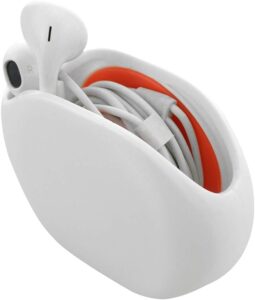
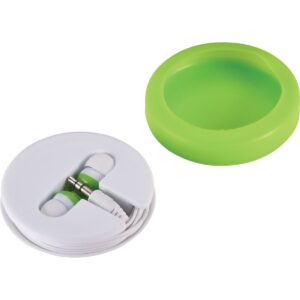
Today we are working on on our Earbud Case Project
Finish research, 3 ideas and why you choose them. Then sketch of 3 of your ideas for earbud cases, make sure to add labels.
Click HERE to get your Earbud Project Template to fill out the research portion today. You will need to make a copy of this document for your team and then share it with your team member(s)
Click HERE for a slide show that has the project info for you